Draw the manga you love to read.
You're one of the first artists to draw with MangaLoft — a focused manga studio for Mac and iPad. Free to create during the beta.
Free for Mac & iPad artists while the beta runs. You'll need TestFlight — it's free from the App Store.
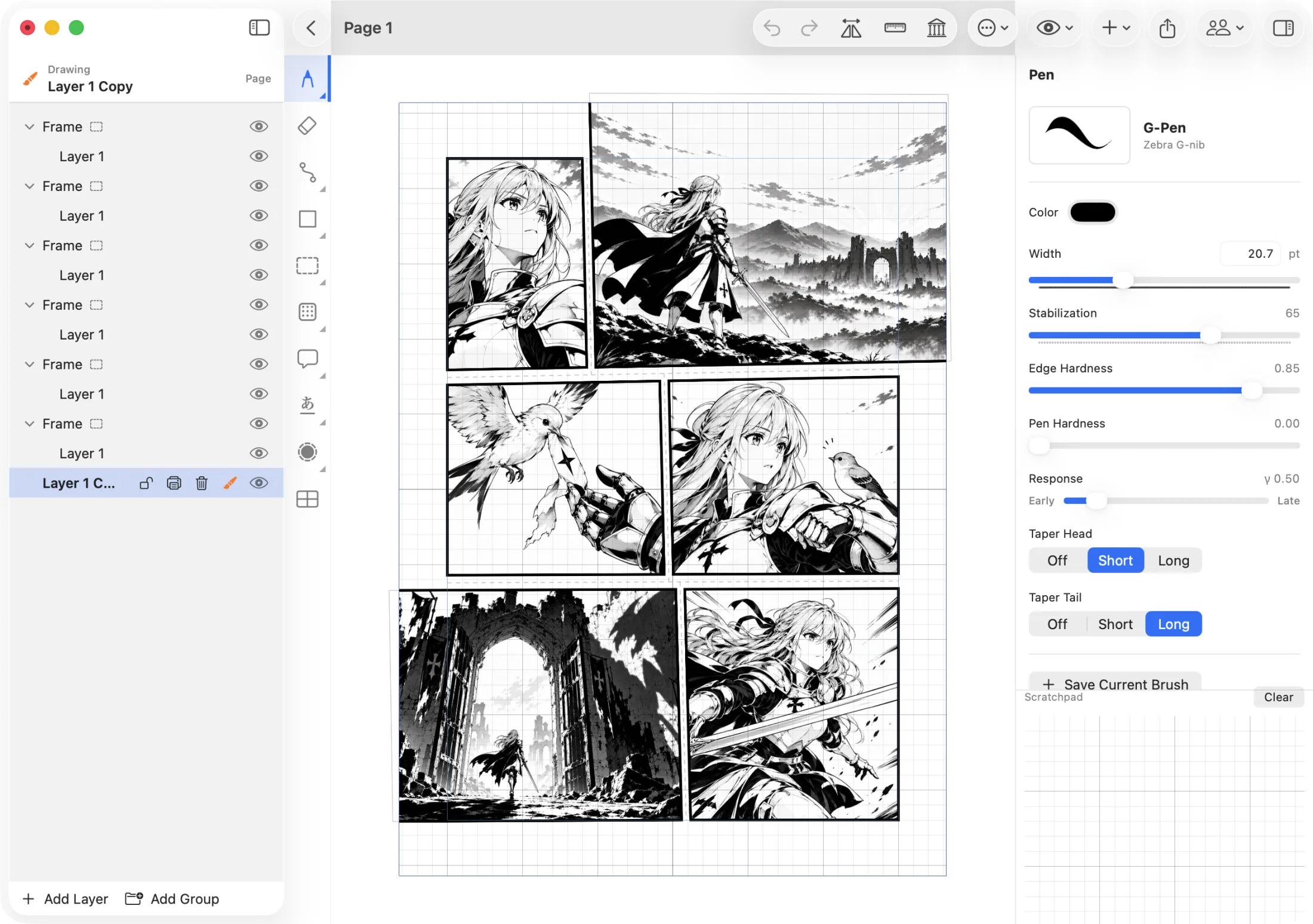
Slash the page into panels
Drag across a frame and it splits into panels — angled or straight. Then tap a panel and draw clipped inside it. Paneling built for how manga is actually laid out.
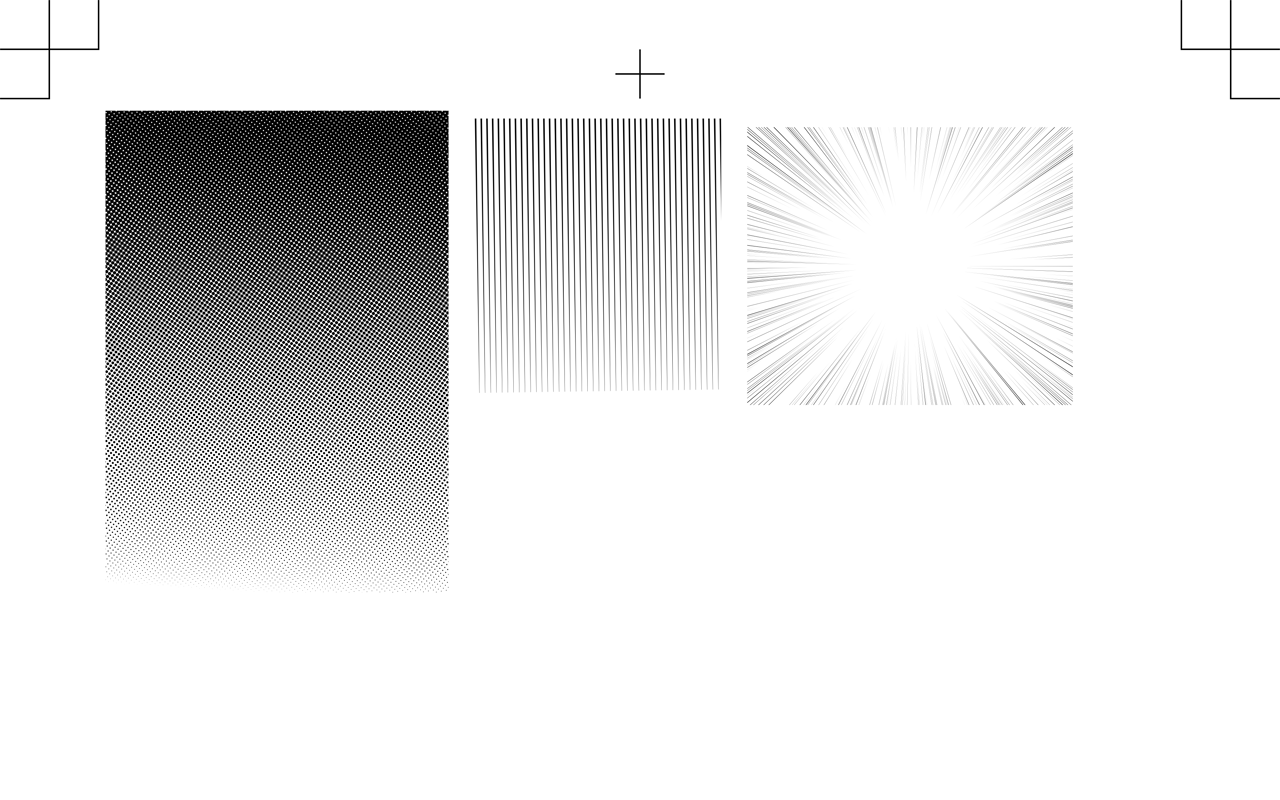
Real manga screentones
Bitmap, concentration lines, dot gradients, speed lines. Paint one into a region, then move, resize, and rotate it — it stays crisp, and stays editable.
Ink that follows your hand
A pressure-sensitive, pen-first canvas with brush presets — built for drawing, not clicking.
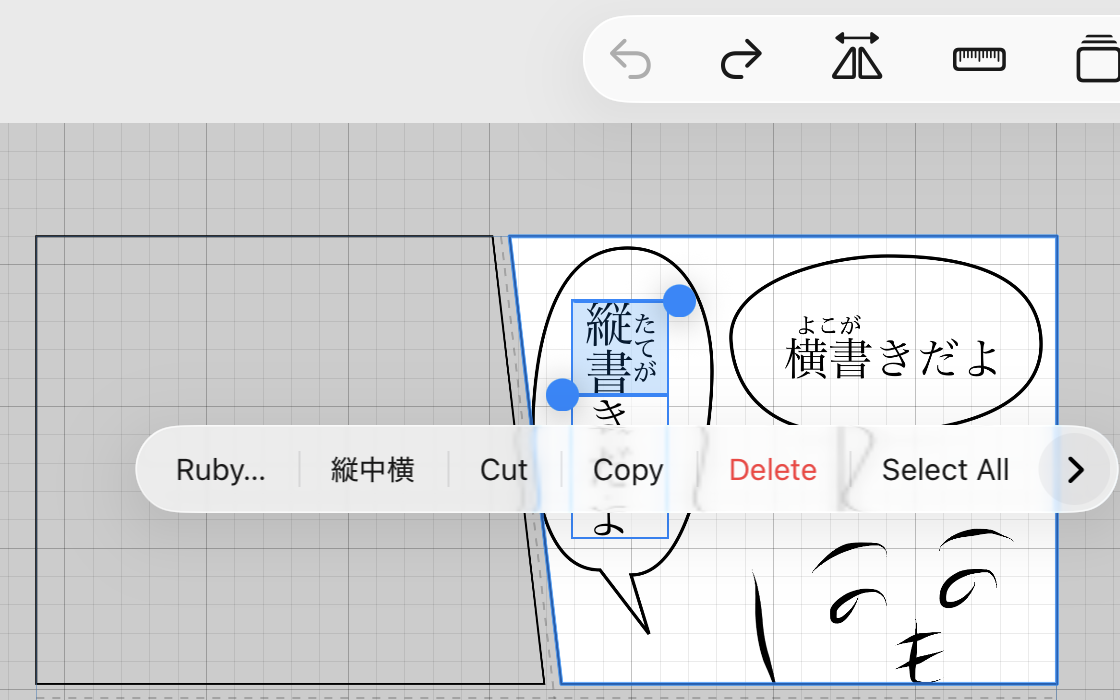
Lettering built for manga
Vertical text, ruby, outlines (縁取り), and automatic 縦中横 — placed right on the page, styled to taste.
Take it to print
Export the full page with bleed and registration marks — For Print — or a trimmed page for screen and posting — For Display. PDF or PNG, at your DPI.
…and the rest of the studio
Layers with folder groups · multi-page documents and a private Scrapbook · cross-document copy/paste · rulers and page guides · path (bezier) tool · speech balloons · pull one frame out to work on it alone — or hand it to your other device and bring it home · and page collaboration between two artists, if you have a drawing partner.
Ready to make something you'd want to read?
Join the betaA couple of quick questions and we'll get you into the beta.